
Most social media managers already draft posts in ChatGPT. The slow part comes after: copying each caption into a scheduler, picking the account, setting the time, and doing it again for the next post.
This guide shows how to plan a week of posts in ChatGPT and send them straight to Tickabee, where you approve the ones you like and Tickabee publishes them on schedule. Nothing goes out without your tick.
What you need
- A Tickabee account (the free plan works)
- A ChatGPT account
- At least one social account connected to Tickabee
- About 10 minutes for the first setup
Step 1: Set up your Hive in Tickabee
A Hive is a workspace for one brand. Each Hive has its own voice, connected accounts, drafts and team.
- Open Hives in Tickabee and choose your brand.
- Add a short description, your audience and your tone. For example: "Friendly, practical, no jargon."
- Add any words you never want to use.
ChatGPT uses this brand voice when it drafts posts for this Hive, so a few clear lines here save a lot of editing later.
Step 2: Connect your social accounts
Open Channels in your Hive and connect the Pages, profiles or channels you want to post to. Tickabee supports Facebook, Instagram, LinkedIn, Threads, TikTok, YouTube, Pinterest, Bluesky, X and Google Business Profile.
The sign-in window comes from the social network. Follow its steps and choose the exact Page or profile you manage.
Step 3: Connect ChatGPT to Tickabee
You don't need an API key or a separate AI subscription. You sign in with the ChatGPT account you already use.
- In ChatGPT, open your settings and find the apps or connectors section.
- Add Tickabee. The connection address is
https://tickabee.com/mcp. - Sign in to your Tickabee account when asked.
- Choose which Hive ChatGPT can use, or allow all your Hives.
- Leave Allow ticking and publishing off for now. ChatGPT can still create drafts, and you approve them yourself in Tickabee.
- Approve access and go back to ChatGPT.
ChatGPT menus change from time to time, and what you see depends on your ChatGPT plan. The Tickabee Docs always have the current steps with screenshots.
Step 4: Do a safe first check
Before creating anything, ask ChatGPT to look around. Paste this:
Use Tickabee to list my accessible Hives, connected accounts and publishing-credit balance. Do not create, edit, schedule or publish anything.
You should see your Hive names and connected accounts. If something is missing, check that you picked the right Hive when you connected.
Step 5: Ask for a week of posts
Now the useful part. Tell ChatGPT what you want, which Hive and which account. Be specific:
Use Tickabee to create 5 unscheduled drafts in [Hive name] for [account name].
Topic: our spring sale, 20% off all cakes until Sunday.
Mix: 2 product posts, 1 behind the scenes, 1 customer tip, 1 last-chance reminder.
Keep each caption under 150 words. Do not tick, schedule or publish.
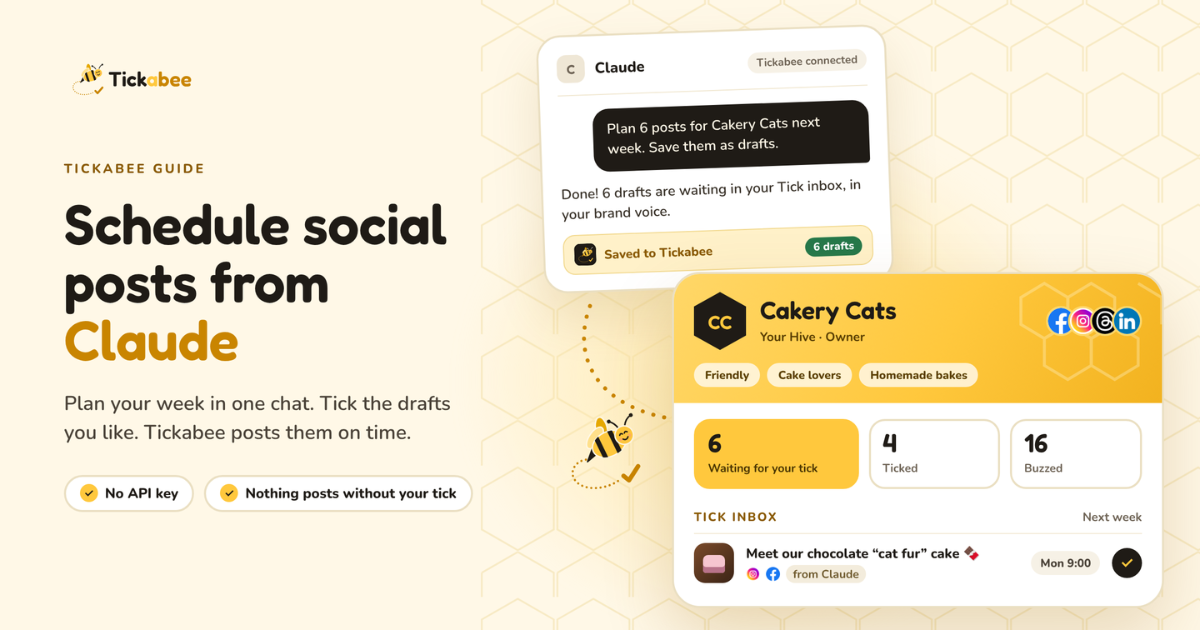
ChatGPT writes the posts in your brand voice and saves them to Tickabee as drafts. Saving drafts doesn't use any publishing credits.
Tip: ask for one more post than you need. It's easier to skip a weak draft than to write a new one.
Step 6: Review and tick in Tickabee
Open the Tick inbox in Tickabee. Every draft from ChatGPT is waiting there.
For each draft:
- Tick it if it's ready, and pick the date and time.
- Edit it if it's close. Fix the wording, swap the image, change the account.
- Skip it if it's not right.
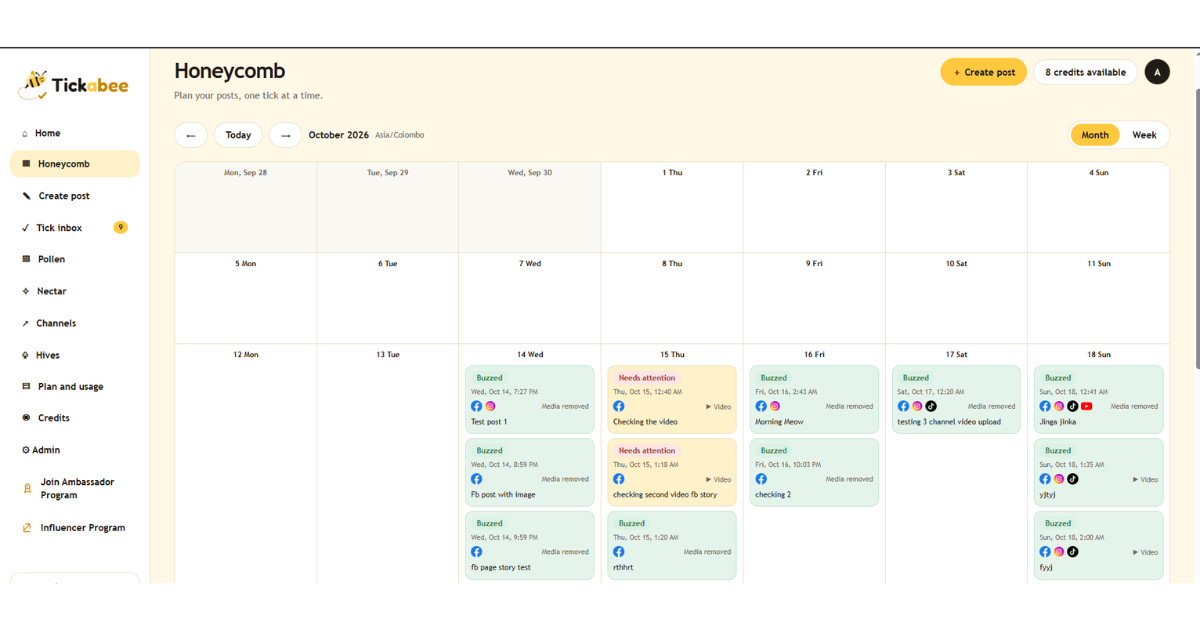
Ticked posts move to the Honeycomb calendar. When the time comes, Tickabee publishes them, and their status changes to Buzzed.
If you edit a post after ticking it, review the latest version again. An earlier tick doesn't count as approval for new changes.
Prefer to write some posts yourself?
You can mix both. Write your own posts in Create post and they land in the same calendar as the ChatGPT drafts. AI is optional.
How many credits does this use?
Saving and editing drafts is free. Credits are only used when a post is published:
- Most networks: 1 credit per post, per account
- Facebook and Instagram together: 2 credits (one for each)
- X costs more. Check the cost shown before you approve.
The free plan includes 10 publishing credits a month. Paid plans include unlimited posts under fair use on the supported non-X networks. See Pricing for details.
Common questions
Can ChatGPT publish without me? Only if you turn on Allow ticking and publishing when you connect, and even then only when you clearly ask it to. With that setting off, ChatGPT can only create and edit drafts.
Can I disconnect ChatGPT later? Yes. You can remove its access from Nectar in Tickabee at any time. Your drafts and published posts stay where they are.
Does this work with the free ChatGPT plan? It depends on what ChatGPT offers on your plan at the time. If you don't see a way to add apps or connectors, check the Docs or use Claude instead.
Try it this week
Pick one Hive, connect one account, and ask ChatGPT for five drafts. Tick the best three and see how your week looks in the calendar. That first batch usually takes under 15 minutes.