
Claude is good at writing in a consistent voice, which makes it a strong partner for social media. The problem is getting those posts out of the chat and onto your channels without copying and pasting each one. This guide shows how to connect Claude to Tickabee, plan a batch of posts in one conversation, and approve them before anything goes live.
What you need
- A Tickabee account (the free plan works)
- A Claude account
- At least one social account connected to Tickabee
- About 10 minutes for the first setup
Step 1: Prepare your Hive
In Tickabee, each brand or client lives in its own Hive. Open Hives, pick the brand, and fill in:
- Description: what the brand does, in one or two lines
- Audience: who you're talking to
- Tone: for example "warm, short sentences, a little playful"
- Words to avoid
Claude uses this when it drafts posts for the Hive. Five minutes here means much less editing later.
Step 2: Connect your social accounts
Open Channels in the Hive and connect the accounts you post to. You can connect Facebook, Instagram, LinkedIn, Threads, TikTok, YouTube, Pinterest, Bluesky, X and Google Business Profile.
Step 3: Add Tickabee to Claude
There's no API key. You sign in with the Claude account you already have.
- In Claude, open Settings and go to Connectors.
- Add a custom connector named Tickabee with this URL:
https://tickabee.com/mcp - If Claude shows connection options, choose OAuth with automatic registration and Streamable HTTP.
- Sign in to Tickabee when the window opens.
- Choose one Hive, or allow all your Hives.
- Leave Allow ticking and publishing off for your first week. Claude will create drafts, and you'll approve them in Tickabee.
- Approve access and return to Claude.
Connector options depend on your Claude plan. If you get stuck, the Tickabee Docs have the current steps with screenshots.
Step 4: Check the connection
Start a new chat and paste:
Use Tickabee to list my accessible Hives, connected accounts and publishing-credit balance. Do not create, edit, schedule or publish anything.
Claude should list your Hives and accounts. This is a read-only check, so nothing changes in Tickabee.
Step 5: Plan your week in one conversation
This is where Claude shines. Give it context, then ask for drafts:
I run social for [Hive name]. Next week we're launching [product or event].
Use Tickabee to create 6 unscheduled drafts in [Hive name] for [account name]:
- Monday: announce the launch
- Tuesday: one feature explained simply
- Wednesday: a customer question we get a lot, with the answer
- Thursday: behind the scenes
- Friday: a short tip related to the product
- Saturday: a friendly reminder with the link
Show me each saved draft and its credit cost. Do not tick, schedule or publish.
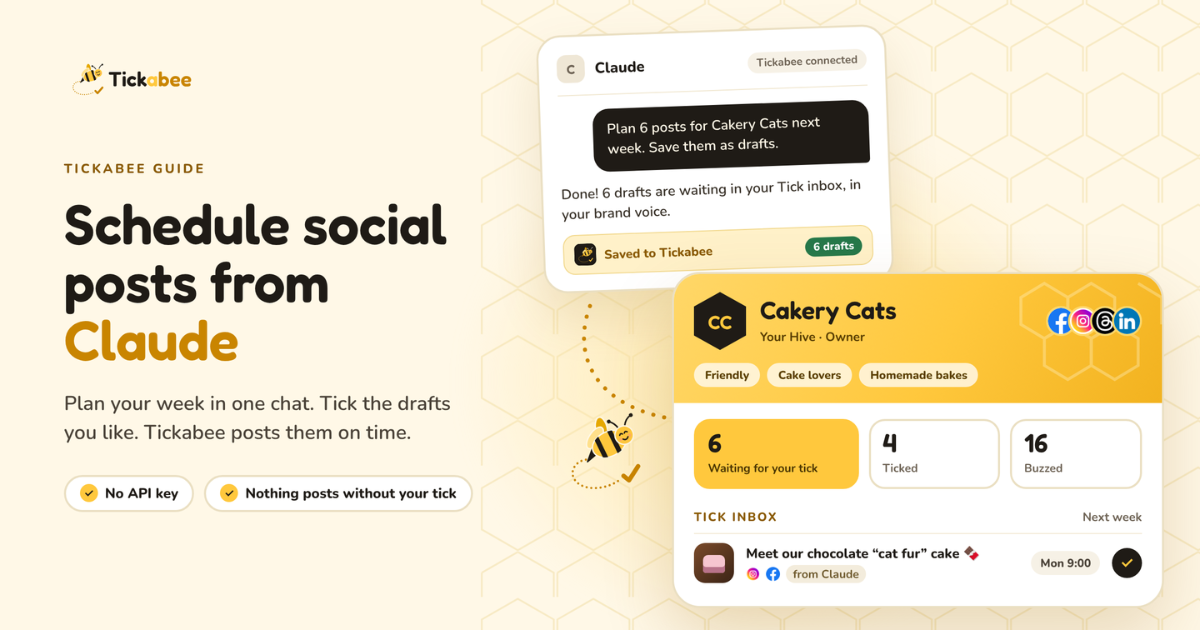
Claude saves each post as a draft in Tickabee and shows you a preview. Saving drafts doesn't use publishing credits. You can keep refining in the same chat: "Make Tuesday shorter", "Add a question at the end of Thursday", "Rewrite Saturday for LinkedIn". Each edit updates the saved draft.
Tip: ask Claude to "keep all posts under 120 words and start with a hook". A clear rule in the prompt beats fixing every post by hand.
Step 6: Tick the ones you like
Open the Tick inbox in Tickabee:
- Tick a draft and choose a time to schedule it
- Edit anything that needs a final touch
- Skip drafts you don't want
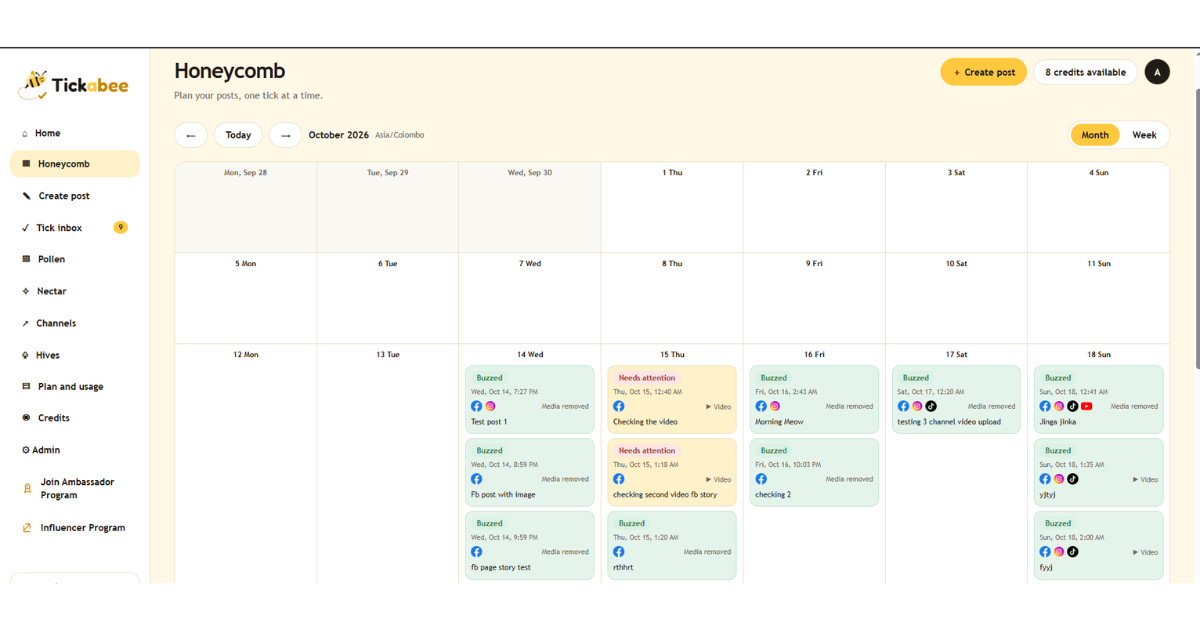
Ticked posts appear in the Honeycomb calendar and publish at the time you chose. Once a post is live, its status changes to Buzzed.
Adding images
Ask Claude to attach an image you've already uploaded to Tickabee's media library (Pollen), or add images yourself when you review the draft. Always check the image in the preview before you tick.
When to let Claude schedule for you
After a few weeks, you might want Claude to schedule posts directly. You can reconnect with Allow ticking and publishing turned on. Even then:
- Claude only publishes when you clearly ask it to, for a specific post
- Your Hive role still applies. Only an Owner or Publisher can approve publishing.
- Always review the latest version before confirming
For client work, most teams keep this off and approve in Tickabee.
Common questions
What if Claude creates a post for the wrong account? Nothing is published until you tick it. Edit the draft and change the account, or skip it. Can I remove Claude's access? Yes, from Nectar in Tickabee. Your drafts and published posts are not affected. Do I need a paid Claude plan? Connector features depend on your Claude plan. Check Claude's settings, or the Docs.
Start with one batch
Connect one Hive, ask Claude for six drafts, and tick the best ones. You'll see your whole week in the calendar in about 15 minutes. Start free with Tickabee